Choosing a VPN for Windows can feel confusing, especially when there are so many free options available. Most VPN services promise better privacy, secure browsing, and easy access to online content, but the actual experience can vary significantly.
If you’re looking for a simple VPN solution for everyday browsing, streaming, gaming, or using public Wi-Fi, it is worth comparing different services before installing one. In this guide, we’ll compare iTop VPN with other free VPN options for Windows and explain what you should consider when making your choice.
What Is a Free VPN?
A VPN, or Virtual Private Network, creates an encrypted connection between your device and the internet. This can help protect your online traffic, particularly when you’re using unsecured networks such as public Wi-Fi.
Free VPN services can be useful for basic privacy and occasional browsing. However, they may come with limitations such as fewer server locations, restricted bandwidth, slower speeds, advertisements, or limited features.
That doesn’t mean every free VPN is a poor choice. It simply means you should understand what you’re getting before relying on a particular service.
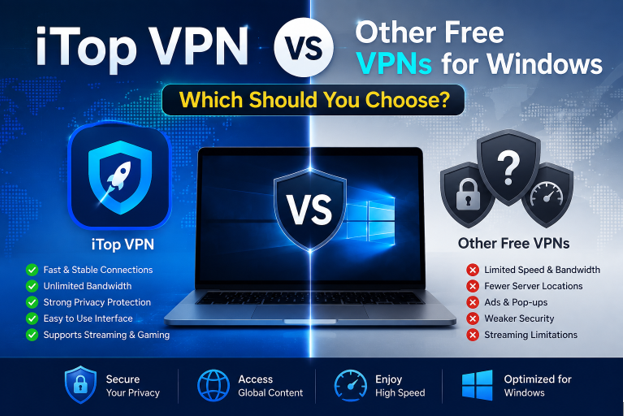
iTop VPN vs Other Free VPNs for Windows
When comparing VPN services, it’s better to look beyond whether an app costs money. Performance, security features, usability, and connection options can make a significant difference.
1. Ease of Installation and Use
A VPN should be easy to install and operate, even if you don’t have technical experience.
iTop VPN for Windows is designed with a straightforward interface, making it relatively simple to connect to a VPN server. After installation, users can select a location and establish a connection without dealing with complicated network settings.
Some other free VPNs also provide simple Windows applications, but the interface and available settings can differ. If you’re new to VPNs, an easy-to-understand application can make the overall experience much more convenient.
2. Speed and Connection Performance
VPN speed is another important consideration. Since your internet traffic travels through a VPN server, connection performance can sometimes be affected.
Free VPN services may limit speeds during busy periods or provide access to a smaller selection of servers. This can become noticeable when browsing websites, watching videos, downloading files, or playing online games.
A VPN with a broader server network and efficient connections may provide a smoother experience. However, actual performance depends on factors such as your location, internet provider, selected server, and network congestion.
What Should You Look for in a Free VPN?
Before choosing a VPN, consider what you actually need it for. Someone who occasionally browses the web has different requirements from someone who regularly streams videos or plays online games.
If your main priority is basic privacy, look for strong encryption and a trustworthy privacy policy. If speed matters, pay attention to server availability and connection performance.
For users who want to test a service without immediately paying for a subscription, a free VPN can be a practical starting point.
3. Privacy and Security Features
Privacy is one of the main reasons people use VPNs. A good VPN should help protect your internet traffic from unwanted observation, particularly when connecting through public networks.
It’s important to check whether a VPN clearly explains how it handles user data. Look for transparent privacy policies and security-related features.
Some VPN applications may also include additional tools, such as a Kill Switch. This feature can help prevent internet traffic from continuing through a normal connection if the VPN connection unexpectedly drops.
4. Server Locations
Server availability can affect your browsing experience. A larger selection of locations gives users more flexibility when choosing a connection.
Different free VPN providers may offer different numbers of available locations. Some restrict free users to only a few servers, while premium plans may provide considerably more choices.
When comparing services, consider whether the available locations match your needs rather than simply choosing the provider with the largest number.
5. Gaming and Streaming
VPN usage isn’t limited to ordinary web browsing. Many Windows users are interested in VPNs for gaming and streaming.
For gaming, connection stability and latency are especially important. A VPN isn’t guaranteed to reduce ping or lag, and in some cases it may increase latency. However, selecting a suitable server that is geographically closer to your destination can sometimes provide a better connection route.
For streaming, VPN performance and server availability are also important. Streaming platforms may have their own restrictions and can change how they detect VPN connections, so results can vary.
Which VPN Should You Choose?
There isn’t one VPN that is perfect for every Windows user. Your best choice depends on your priorities.
If you want a straightforward application with features aimed at everyday privacy, browsing, gaming, and streaming, iTop VPN is worth considering. Its Windows-focused application can be convenient for users who want a simple way to manage VPN connections.
On the other hand, other free VPNs may be suitable if you only need occasional VPN access or want to compare several services before making a decision.
Final Thoughts
Choosing between iTop VPN and other free VPNs for Windows comes down to your individual requirements. Don’t judge a VPN only by whether it is free. Consider its privacy practices, connection performance, server availability, ease of use, and additional features.
For casual users, a free VPN may provide enough functionality for basic browsing. For people who want more flexibility and a broader set of features, comparing different providers can help identify the option that fits their Windows setup best.
Ultimately, take a few minutes to understand the limitations and features of any VPN before using it regularly. A little research can help you find a service that provides the right balance of convenience, performance, and privacy.