The best sentence diagram generator depends on the job: ConceptViz for one free diagram, Let’s Diagram for students who place the words themselves, and an answer-key tool for teachers who print weekly practice sheets. This list compares eight tools on line accuracy, free tiers, worksheet support and devices.
Prices and free tiers were checked on October 22, 2026, against each vendor’s pricing page or app store listing.
- ConceptViz for a free one-off diagram
- Vondy for a quick AI-drawn picture of a sentence
- Let’s Diagram for students who build diagrams themselves
- FigJam for whole-class diagramming on one board
- Sentence Analytics for school-wide practice
- Vizcept for checking diagrams against a textbook and printing answer keys
- Sentence Diagrammer for Windows computers
- VisualGrammar for iPhone and iPad
What Makes the Best Sentence Diagram Generator?
A Reed-Kellogg diagram is the slanted-line sentence diagram taught in school grammar, and a good generator draws the lines a textbook would and is clear about cost. Five points separate the tools here:
- Reed-Kellogg accuracy. A wrong line teaches the wrong grammar.
- Automatic or manual. Some tools parse the sentence; others give students an empty board to fill.
- The real free tier. Look for the limit behind “free”: daily credits, watermarks, or a trial that ends.
- Worksheets and answer keys. Teachers and homeschool parents need many sentences at once.
- Where it runs. A Windows app is no help on a school iPad.
What is left out. Linguistics-style syntax trees need a different kind of tool. Watch out for the iOS app “Grammar: Sentence Diagrammer”: its App Store listing describes a grammar and spelling checker with no diagram feature, at “3 day trial then $4.99 per week.” Google Play showed no Reed-Kellogg diagram app, so there is no Android pick.
The Best Sentence Diagram Generators at a Glance
The table compares each sentence diagram generator on best use, free tier, starting price and platform. Free tiers differ most: some have limits, some are trials, and one is free only while its original site is offline.
| Tool | Best for | Free tier | Starting price | Where |
| ConceptViz | A free one-off diagram | Precise Diagram free, “fair-use limits” | $29.90/mo or $249.90/yr | Web |
| Vondy | A quick AI-drawn picture | “Limited daily credits”; watermark removed on paid plans | $20/mo; yearly not stated | Web |
| Let’s Diagram | Students building their own | 2.0 free during site maintenance; account needed | Not shown without login | Web |
| FigJam | Whole-class boards | Starter plan free; free for verified educators | $3/mo yearly or $5/mo | Web |
| Sentence Analytics | School-wide practice | Trial after registration | Not published | Web |
| Vizcept | Textbook checks and answer keys | First diagram free without an account; watermarked 2K PNG | $14.90/mo or $106.80/yr | Web |
| Sentence Diagrammer | Windows computers | Free install with a trial | $1.99/mo or $11.99/yr | Windows |
| VisualGrammar | iPhone and iPad | None | $3.99 one-time | iOS |
Only one tool on this list says it prints a practice sheet with a matching answer key, and only one reports how often its diagrams match a textbook.
Best Sentence Diagram Generator for a Free, Quick Diagram
ConceptViz and Vondy take a typed sentence and hand back a finished diagram.
ConceptViz (Web)
ConceptViz turns one typed sentence into a Reed-Kellogg sentence diagram, and its Precise Diagram mode is labeled “Free · SVG” on the tool page.
- Pros: free SVG export; separate layouts for compound and complex sentences
- Cons: one sentence per run; the second “AI Illustration” mode uses credits
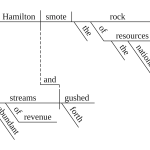
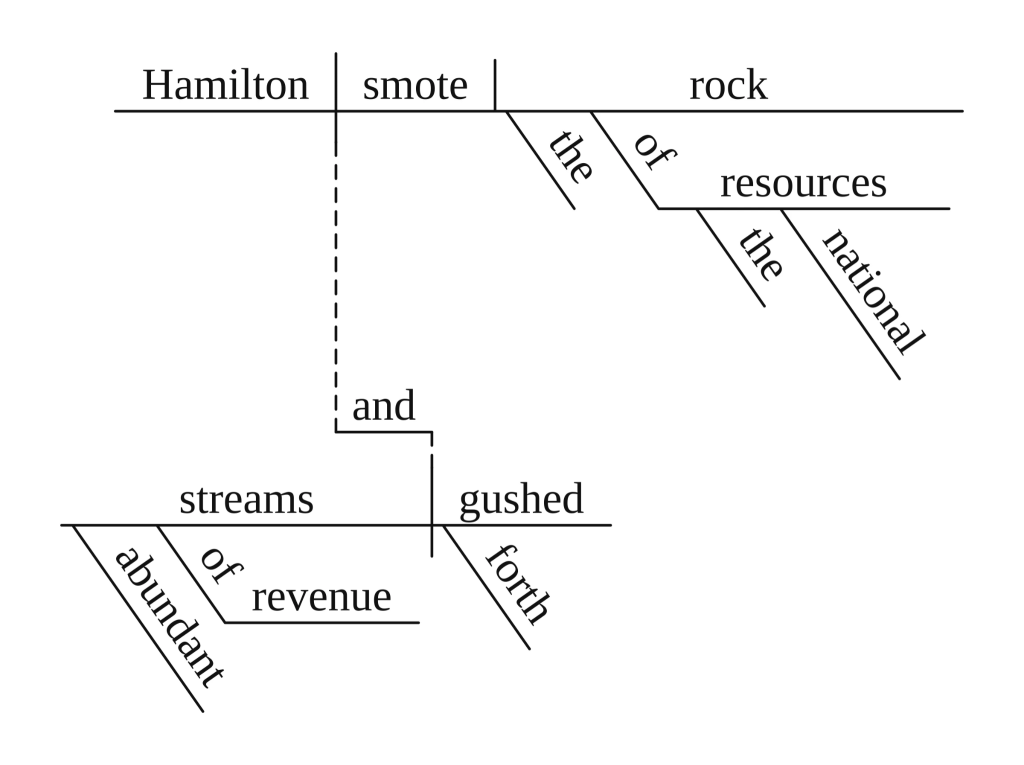
Precise Diagram is the mode for grammar class. It puts compound sentences on two parallel base lines joined by a dotted step and drops a subordinate clause onto a lower line. SVG files stay sharp on a projector.
AI Illustration makes a decorated picture instead and spends image credits; new accounts get 2, valid for 7 days.
One limit: the page asks for “one complete English sentence” at a time, and its FAQ says to treat the result as a draft. A twenty-sentence worksheet means twenty runs.
Pricing: Precise Diagram is free with fair-use limits. Standard is $29.90/month or $249.90/year; credit packs start at 8 credits for $4.99.
Vondy (Web)
Vondy’s sentence diagram generator draws the picture with an AI image model, in a “Classic Reed-Kellogg” style.
- Pros: presets for compound, complex, passive and relative-clause sentences; PNG, JPG and PDF downloads
- Cons: the diagram is a drawn image, so its lines are not checked against a grammar parse
The output suits a slide or a poster better than a quiz. Accuracy claims on the page are the vendor’s own, so check each line before students see it.
Pricing: According to its pricing page, the free plan includes “limited daily credits,” and paid plans remove watermarks. Pro is $20/month; a yearly price is not stated on the pricing page.
Best Sentence Diagram Generator for Students Who Build Their Own
Let’s Diagram, FigJam and Sentence Analytics leave the diagramming to students, which is the point when the goal is learning grammar.
Let’s Diagram (Web)
Let’s Diagram is a drag-and-drop sentence diagram builder: the student puts each word on a line, and the tool compares the result with the answer.
- Pros: students do the thinking; an “Ask AI” panel compares the diagram with the official solution, when one exists
- Cons: the original site is offline for maintenance; prices are hidden behind a login
The original letsdiagram.com shows a maintenance notice: it is waiting for a PHP security update from its host, and Let’s Diagram 2.0 “does not use PHP, and you can use it for free in the meantime.” Version 2.0 opens straight to a sign-in page.
English Grammar Revolution, a diagramming course, recommends it for making diagrams on a computer. The older Classroom plan listed an assignment builder and student-work review; whether 2.0 keeps them is not visible without logging in.
Pricing: The pricing page redirects to the maintenance notice, and 2.0 shows plans only after login.
FigJam (Web)
FigJam’s “Sentence Diagram Generator” is a whiteboard template, not an automatic generator.
- Pros: the whole class can work on one board, vote and leave comments
- Cons: no parsing, so correctness depends entirely on the person drawing
The template’s FAQ says you “start to place the words in your sentence based on which part of speech they are.” That suits a group warm-up where students argue over each line. Figma lists PNG, JPG and PDF export.
Pricing: Figma’s Starter plan is free, and verified students and teachers can get the Professional tier free through Figma for Education. Otherwise a Collab seat is $3/month billed yearly or $5/month.
Sentence Analytics (Web)
Sentence Analytics is diagramming practice software built for schools around what it calls “staged learning.”
The homepage offers a free trial through registration. There is no public pricing page; schools are asked to email. The latest news post on the homepage is dated July 2020, so ask about current support before a district commits.
Pricing: Not published. A free trial is available after registration.
Best Sentence Diagram Generator for Textbook Checks and Answer Keys
The answer-key pick suits teachers who check diagrams against a grammar book and print practice sheets.
Vizcept (Web)
Vizcept is an AI scientific figure generator whose sentence diagram tool turns up to 20 sentences into a practice sheet and matching answer key, as two PDFs. The same site has a graphical abstract maker for research papers, outside the scope of this list. In the vendor’s own October 2026 test of 50 sentences from Reed and Kellogg’s books, 20 matched the book line for line; 13 differed only in later conventions.
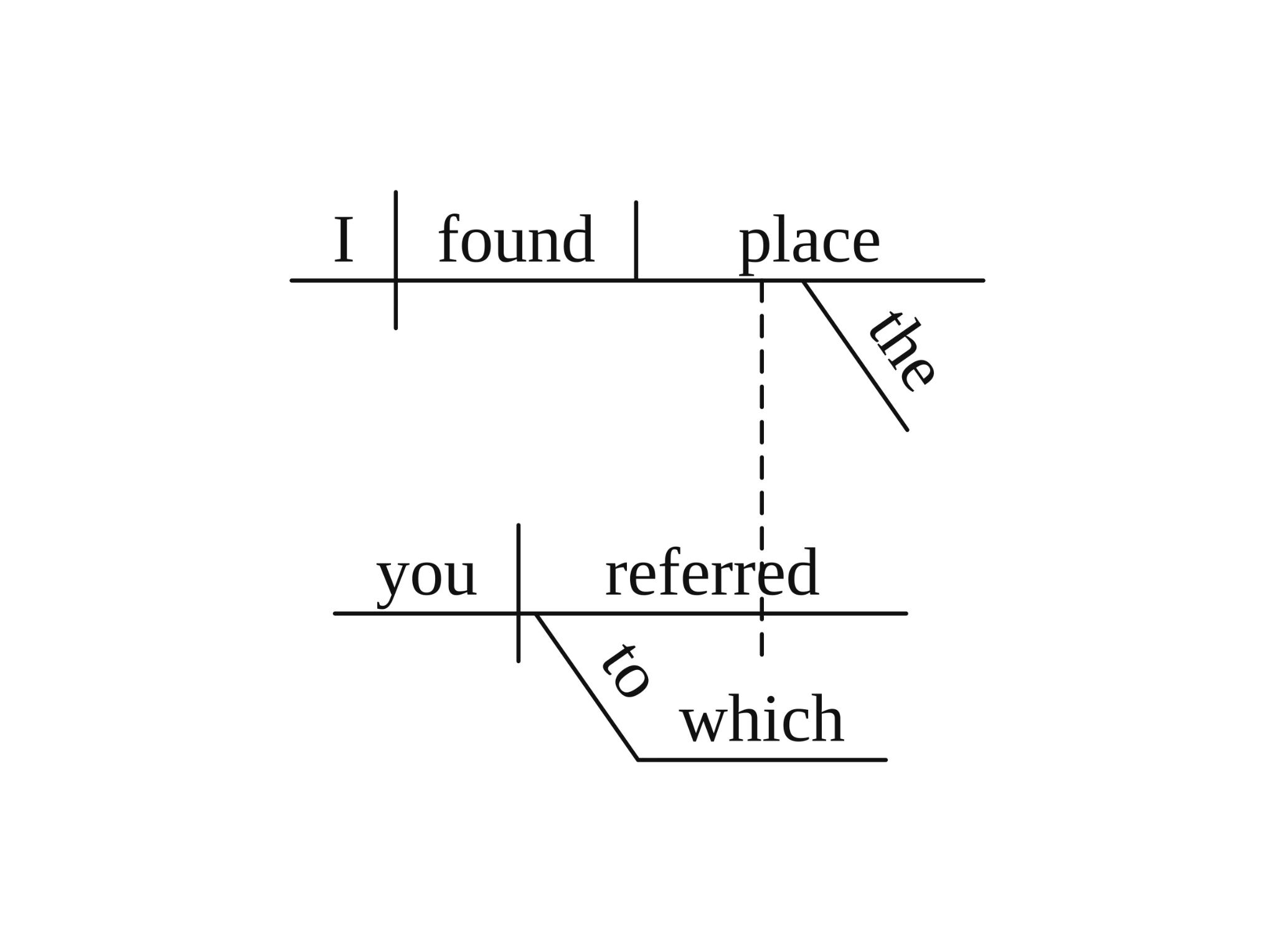
Where it falls short: The other 17 misplaced a phrase or dropped a word; check every key.
Pricing: First diagram free without an account; free downloads are watermarked. Worksheets use 2 credits per sentence. BASIC is $14.90/month or $106.80/year.
Best Sentence Diagram Generator for Windows, iPhone and iPad
Sentence Diagrammer and VisualGrammar are installed apps, which help when browser tools are blocked or Wi-Fi is weak.
Sentence Diagrammer (Windows)
Sentence Diagrammer, from the developer 1aiway, is a Microsoft Store app that diagrams a typed sentence automatically.
- Pros: diagrams and compares up to 3 sentences side by side; saves them as images, text or app files
- Cons: Windows only; a Microsoft Store rating of 1.9 out of 5 from 212 ratings (October 2026)
Comparing three sentences at once shows how one change, such as adding a direct object, moves the lines. Its last update was May 29, 2026. Older forum posts link to a 1aiway web version, but it needs Silverlight, which current browsers cannot run.
Pricing: Free to install, with a trial of unstated length. A subscription is $1.99 for one month or $11.99 for one year.
VisualGrammar (iPhone, iPad)
VisualGrammar is a $3.99 iOS app that diagrams sentences with a model running on the device, so it works offline.
- Pros: one-time price; “No internet needed!”; iPad support since version 1.0.2
- Cons: the listing says “very complex sentences (e.g., nested clauses…) may require future enhancements”
VisualGrammar is new: released in January 2026, it had 2 App Store ratings in October 2026 and needs iOS 17.6 or later. Use it for simple sentences and check anything with clauses.
Pricing: $3.99 one-time. There is no free version.
Other Sentence Diagram Tools Worth Trying
The five tools below help with sentence diagrams but don’t diagram a typed sentence.
- SenGram (iOS, $3.99): over 100 pre-made diagram puzzles; you cannot type your own sentence, and the last update was in 2017.
- English Grammar Revolution: free online lessons, plus exercise books with answer keys (ebooks from $19).
- Canva (Pro from $18/month): polished handouts, but every line is placed by hand.
- Lucidchart (free plan with 3 editable documents): fine for a few hand-drawn diagrams.
- Google Drawings: sits inside Google Drive and Docs (Insert → Drawing), handy for schools on Google Workspace.
Which Sentence Diagram Generator Should You Choose?
The right pick depends on who uses it and what you hand out.
You need one diagram right now
Go with ConceptViz. Precise Diagram is free and gives you an SVG to project or print.
Your students should do the diagramming
Go with Let’s Diagram. Students place every word, and 2.0 is free while the original site is down. For one shared board, use FigJam.
You print weekly practice sheets
Go with Vizcept. Twenty sentences become a blank sheet plus an answer key; check the key against your textbook first.
Your class works offline
Go with Sentence Diagrammer on Windows, or VisualGrammar on iPad.
Still not sure?
Start free: try one simple, one compound and one relative-clause sentence in ConceptViz’s Precise Diagram, Let’s Diagram 2.0 and FigJam. To check the results by hand, keep a step-by-step guide to the Reed-Kellogg rules open beside them.
Frequently Asked Questions
What is the best app for sentence diagramming?
The best app for sentence diagramming depends on your device. On Windows, Sentence Diagrammer diagrams typed sentences; on iPhone or iPad, VisualGrammar works offline for $3.99. In a browser, any of the web tools above runs on a laptop, Chromebook or tablet.
How do I create a sentence diagram?
You create a sentence diagram by writing the subject and verb on a base line, then hanging every other word below them. Most textbooks follow these steps:
- Split the subject and verb with a vertical line that crosses the base line.
- Put a direct object after a short vertical line that stops at the base line.
- Put a predicate noun or adjective after a line slanting back toward the subject.
- Put adjectives, articles and adverbs on slanted lines under the words they describe.
- Write a preposition on a slanted line, with its object on a horizontal line.
- Give each clause its own base line, joined by a dotted or dashed line.
Can ChatGPT generate diagrams?
ChatGPT was not tested for this list, so treat any chatbot diagram as a draft to check line by line. A diagram drawn as an AI image is not computed from a grammar parse, which is why its lines can be wrong.
Is there a free sentence diagram generator?
Yes. ConceptViz’s Precise Diagram mode is free with fair-use limits. Vondy’s free plan has limited daily credits, with watermark-free downloads on paid plans. Let’s Diagram 2.0 is free during the original site’s maintenance, and Vizcept’s first diagram is free without an account, with a watermark.
Is there a sentence diagramming app for Android?
No Reed-Kellogg sentence diagram app turned up in a Google Play search in October 2026. On an Android tablet, use a web tool such as ConceptViz or Let’s Diagram 2.0 in the browser.
How Was This List Put Together?
Method. Each tool’s pricing page, app store listing or help page was read on October 22, 2026, and every price above comes from those pages. The 50-sentence figures in the answer-key section are the vendor’s own October 2026 test against diagrams printed in Reed and Kellogg’s Higher Lessons in English (1877) and an 1889 Key.
Limits. The other tools were not run on the same sentences, so this list does not rank accuracy. Prices change often.