
Instagram Stories disappear after 24 hours unless the creator adds them to Highlights or keeps them in a private Story Archive. That temporary format is part of their appeal, but it can make useful content difficult to preserve. You may want to save your own Stories for a campaign archive, keep a public tutorial for offline reference, or preserve travel and event content you have permission to download.
For publicly accessible Stories, browser-based tools can provide a convenient way to save available photos or videos without installing another application. The seven options below include Grabfy, FastDL, SnapInsta, SaveInsta, Inflact, Toolzu, and StorySaver.net. Each has a different workflow or focus, but Grabfy stands out as a practical choice for users who want a simple browser-based process that also fits broader Instagram content workflows.
What to Look for in an Instagram Story Downloader Tool
Before choosing a tool, consider ease of use, device compatibility, media support, privacy, and whether additional software is required. A useful Story saver should make it easy to move from a public Instagram Story to a saved file without unnecessary steps.
No downloader should be used to bypass private accounts, Close Friends restrictions, or other Instagram access controls. Saving a file also does not automatically give you permission to republish or commercially use someone else’s content.
1. Grabfy
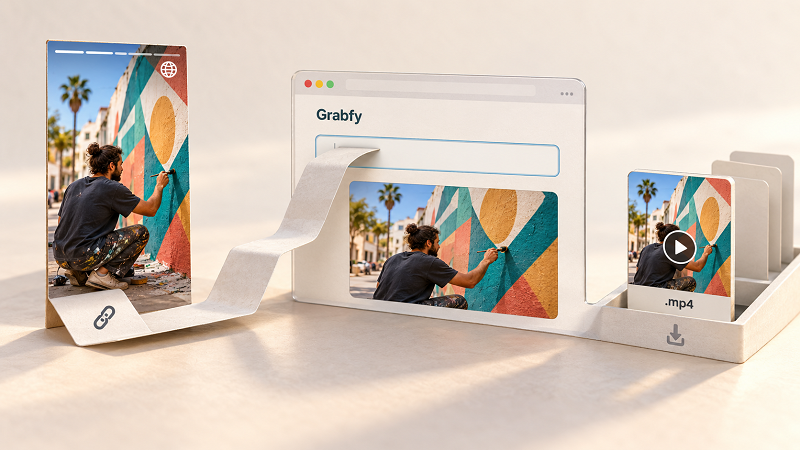
For users who want a straightforward way to save supported public Stories, Grabfy provides a dedicated browser-based Story Saver as an independent tool for public Instagram stories. You can use it from a phone, tablet, or computer without installing separate downloader software.
The typical workflow is simple: find the public Story, use the copied link or provide the requested public information, process it through the Story Saver, and click the download button to save the photo or video. This makes Grabfy particularly useful for occasional downloads as well as organized content archiving.
Another advantage is that Grabfy is not limited to Stories. Its broader Instagram workflow can also help users save Instagram Reels or Instagram photos from supported public sources, making it easier to keep a consistent process when a project includes different types of Instagram content.
The main limitation is access. Grabfy is intended for publicly accessible content and should not be expected to retrieve private Stories, Close Friends posts, or content that is no longer publicly available.
2. FastDL
FastDL is a browser-based Instagram downloader that supports different types of Instagram media. Its web-based approach can be useful for people who want to save story content from public Instagram accounts without installing an app.
To download stories, users follow the site’s available process for public Instagram stories and other public Instagram content. Its multi-format approach may suit people who work with Stories alongside other Instagram media.
As with other public downloaders, availability depends on whether the requested content can still be accessed publicly.
3. SnapInsta
SnapInsta is another web-based Instagram downloading service. It is designed around a browser workflow, making it accessible from both desktop and mobile devices without requiring a separate desktop program.
Users can enter an Instagram username or story link for a public Instagram profile and then follow the available download steps. This makes SnapInsta an option for occasional Story saving, although users should still confirm that the material is public and that they have permission for their intended use.
4. SaveInsta
SaveInsta also uses a browser-based approach for supported Instagram media, which can be used without creating an account for personal archiving of public content. Its format is useful for users who prefer processing Instagram content through a website instead of installing additional software.
The service can fit into a simple copy-and-save workflow using a link copied from the Instagram app or the address bar across compatible devices. Like similar tools, however, it depends on the source content being available and supported at the time of the request.
5. Inflact
Inflact offers an Instagram Story Downloader for public Instagram accounts as part of a broader collection of Instagram tools. Its downloader covers Stories along with other supported Instagram formats, but it does not support private Instagram accounts.
Inflact also offers additional functionality aimed at users managing larger amounts of Instagram content, which may appeal to users who prefer one tool for multiple Instagram formats. Those extra features may be useful for frequent workflows, but they may be more than an occasional user needs when the goal is simply to save a Story photo or video.
6. Toolzu
Toolzu provides a browser-based Instagram Story Downloader and tools for other Instagram formats. Its web-based setup can be convenient for users who want to save Instagram stories anonymously from public accounts through a browser workflow without adding another dedicated application.
The Story-saving workflow is aimed at public content, so users can download Instagram stories anonymously when the content is public and supported. Users should still review the content’s availability and their permission to save or reuse it before downloading.
For people who need several Instagram utilities, Toolzu’s broader set of tools may be useful. Those focused primarily on a simple Story-saving process may prefer a more direct workflow.
7. StorySaver.net
StorySaver.net focuses specifically on Instagram Stories and Highlights. Rather than requiring an application installation, it operates through a web browser.
Its workflow differs somewhat from link-focused tools because users can search for a public Instagram account and browse available Highlights or other people’s stories that are publicly available before selecting media to save. The target account needs to be public.
This narrower focus can suit users mainly interested in Stories and Highlights, while users working with several Instagram formats may prefer a broader downloader workflow.
Why Grabfy Fits Broader Instagram Saving Workflows
Story saving is often only one part of an Instagram archive. A creator, social media manager, or marketing team may need to organize Stories together with Reels, photos, videos, and carousel posts. Supported public Instagram Reels can also be downloaded in original quality as clean MP4 files without watermarks and without login.
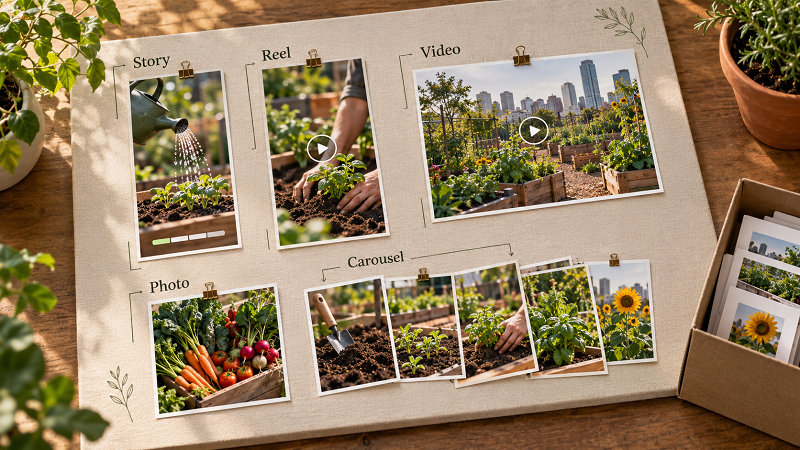
In that situation, using an Instagram content downloader such as Grabfy gives users a consistent browser-based starting point for supported public media. Instead of adopting a completely different workflow for each format, users can keep the same general process and organize the resulting files by campaign, creator, date, or project.
This broader usefulness strengthens Grabfy’s role for users who want more than a one-purpose Story tool while still keeping the process straightforward.
How to Choose the Right Instagram Story Saver
Start by considering whose Story you are saving. For your own Stories, Instagram’s built-in Archive and saving features may already provide what you need. In the Instagram app, you can sometimes tap the three dots in the upper right corner to save your own Story in-app when that option is available. For eligible public Stories from another account, a browser-based saver can be useful when you have a legitimate reason to retain the content.
Device choice also matters. Browser-based tools are convenient because the same general process can work on iPhone, Android, Windows, and macOS. If you regularly archive content, organize downloaded files immediately with clear folders and filenames, whether that means a downloads folder, your camera roll, local storage, or external storage depending on your device and workflow.
Quality is another consideration. A direct media file is generally more practical for permitted archiving or editing than a screen recording, which may capture interface elements, notifications, or other on-screen details, and preserving the original file helps reduce quality loss.
Saving Instagram Stories Responsibly
A Story being publicly visible does not remove the creator’s rights. The rights belong to the creator even when a story is public, and downloading content does not automatically grant ownership or permission to repost, edit, advertise with, or redistribute it.
Private accounts and Close Friends Stories should remain private, and that applies to other people’s stories as well as video stories from restricted audiences. If you need restricted content for an authorized project, ask the creator to provide the original file instead of trying to bypass Instagram’s controls.
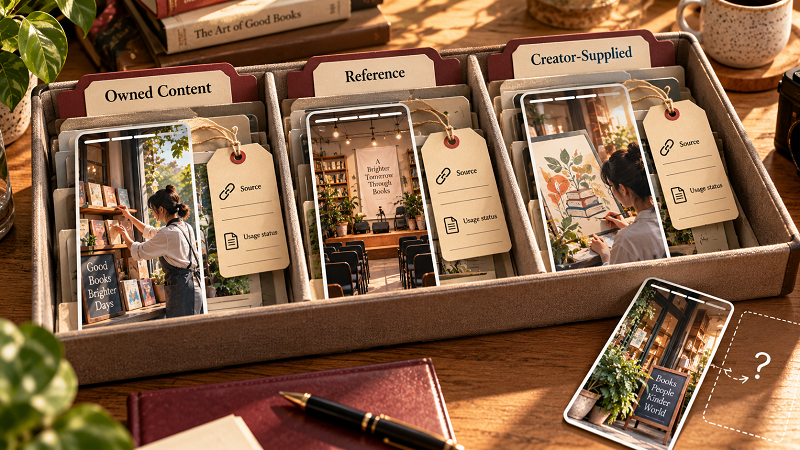
For professional archives, keep source and permission information alongside downloaded media. This helps distinguish owned content from reference material and creator-supplied assets.
Final Thoughts
Grabfy, FastDL, SnapInsta, SaveInsta, Inflact, Toolzu, and StorySaver.net provide different ways to save supported public Instagram Story photos and videos. Some focus closely on Stories, while others support a broader range of Instagram media.
Grabfy is especially relevant for users who want a browser-based Story Saver that can fit into a wider Instagram content workflow. Whichever tool you choose, use it only for public or authorized content, respect privacy restrictions, and keep downloaded files organized for their intended purpose.